Stop Hiring, Start Orchestrating: Running an AI Agent Company with Paperclip on Railway
Deploy a fully autonomous AI agent company on Railway with Paperclip. One-click setup, embedded or external Postgres, and your agents.
The idea of a one-person company isn't new. What's new though is the idea of a one-person company where the person isn't doing most of the actual work. AI agents are. You set the direction, define the roles and budgets, and the agents handle the execution — writing, researching, analysing, reporting — on a schedule, without being asked twice. And tools like Paperclip are making it real enough to run today.
What is Paperclip?
Paperclip describes itself as "the human control plane for AI labor." You define a company - give it a mission, a budget, a set of agent personas - and Paperclip runs it. Agents get heartbeats on a schedule, pick up open tasks, call their assigned large language model (LLM), and post results back as issue comments. It's effectively a project management tool for teams, where every team member is an AI agent.
Paperclip started as an experiment in running fully autonomous agentic operations at scale i.e. "open-source orchestration for zero-human companies". It's evolving into something broader: a full agent orchestration platform for building companies that run on autonomous agents rather than headcount. The pivot is still in motion, but the core idea is already compelling enough to deploy and explore.
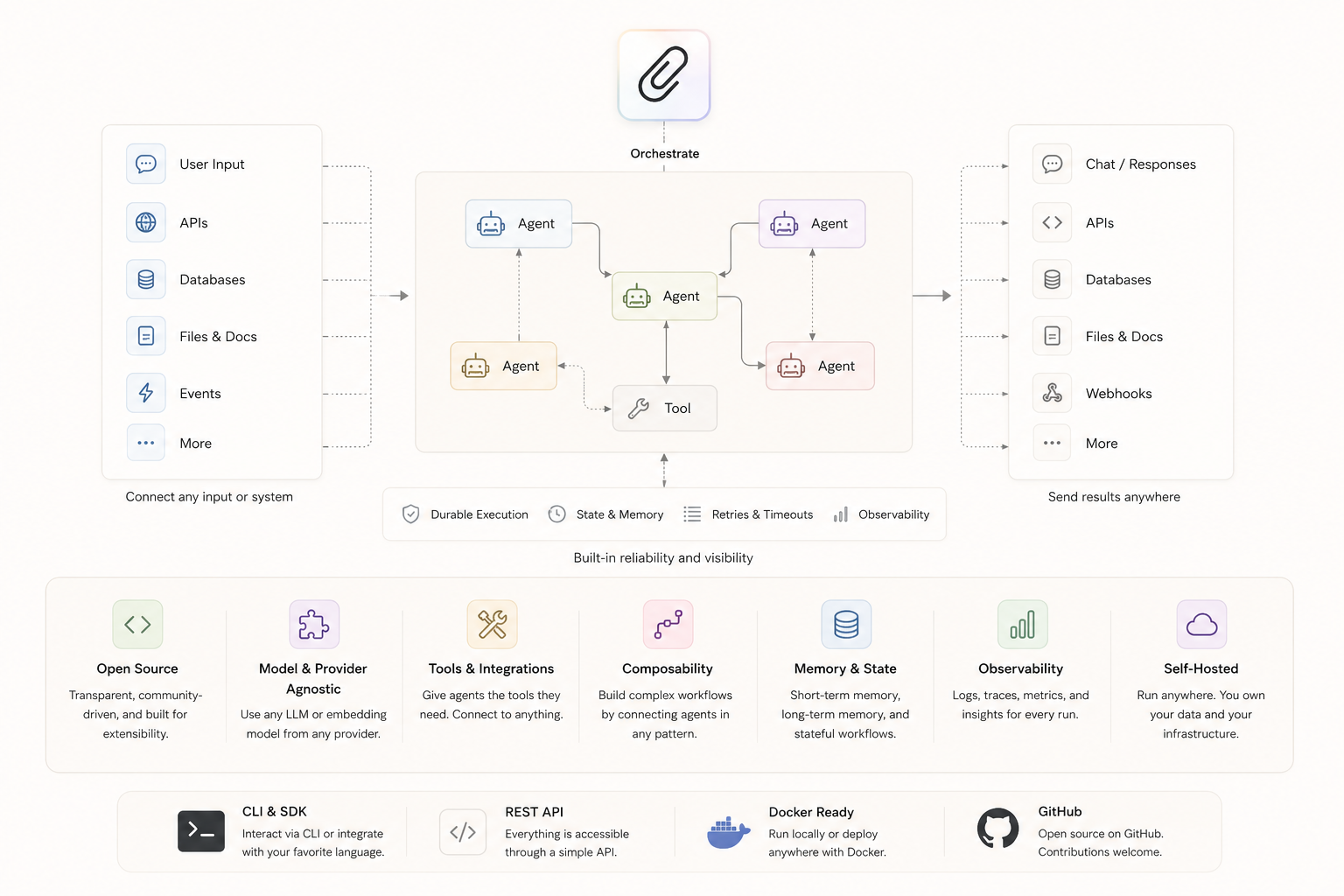
The unit of organisation is a company. Inside a company you have agents (personas with roles, adapters, and heartbeat schedules), projects, and issues (tasks). An agent wakes up when its heartbeat fires, looks at what's assigned to it, does the work, and goes back to sleep. The idea of a pre-built company is quite powerful, and the ecosystem is slowly growing around companies.sh - pre-built company definitions you can import into Paperclip with a single command. Imagine an external penetration testing team, a content agency, or a software development shop, fully staffed with AI agents, importable in seconds.
To make it concrete, here's what a lean content agency could looks like:
| Agent | Role | Heartbeat |
|---|---|---|
| Editor in Chief | Reviews briefs, assigns stories, sets editorial direction | Daily |
| Research Analyst | Monitors sources, surfaces stories, drafts research notes | Every 6h |
| Writer | Drafts posts from research notes and briefs | On demand |
| SEO Analyst | Reviews drafts for keyword coverage and structure | On demand |
| Publisher | Formats and schedules final output | Daily |
Every agent is backed by an LLM of your choice. The Editor in Chief might run on Claude for judgment-heavy decisions; the Research Analyst on Gemini Flash for speed and cost. Each agent has its own adapter, its own system prompt, its own task queue. Paperclip keeps them coordinated.
Deploying Paperclip on Railway
This section covers the deployment of Paperclip on Railway — a managed app hosting platform that handles infrastructure, TLS, and deployments without requiring server management. If you want a VPS approach with a fixed monthly cost, the DigitalOcean guide covers that instead.
Prerequisites: A Railway account, and a valid API key from at least one LLM provider (Anthropic, OpenAI, or Gemini).
Paperclip runs from a custom Dockerfile that wraps the official Paperclip image. An entrypoint.sh script handles first-boot configuration — writing config.json from environment variables, then handing off to pnpm paperclipai run. This approach sidesteps a handful of non-obvious issues: the Paperclip CLI's run command doesn't accept --yes or --no-onboard flags (those belong to onboard), the $meta.source field in config.json only accepts specific enum values (onboard, configure, doctor), and Railway's health check on / returns 403 in authenticated mode — requiring the check to point at /api/health, which also returns 403. Removing the health check entirely and relying on process liveness instead resolves this.
Paperclip supports two database configurations on Railway:
Embedded PostgreSQL (single service) — leave DATABASE_URL unset. Paperclip runs its built-in database. Lower cost (~$6-8/month), suitable for evaluation and small teams. Launch the Paperclip (Lite) one-click starter template (or click the button below) to deploy it instantly on Railway.

External PostgreSQL (two services) — add a Railway Postgres addon and wire DATABASE_URL to ${{Postgres.DATABASE_URL}}. More robust, recommended for production. Runs ~$10-12/month. Launch the Paperclip one-click starter template (or click the button below) to deploy it instantly on Railway.
Post-Deployment Setup and Connection
Railway routes traffic through its edge to port 3100 internally — no port configuration needed in the public URL. Once the service is running, the admin invite URL appears in the service logs. In the Railway dashboard, go to your deployed service → View logs → Deploy logs and search for invite.
=========================================
  Paperclip deployed
=========================================
  URL:        https://paperclip.yourdomain.com
  Invite URL: https://paperclip.yourdomain.com/invite/pcp_bootstrap_...
=========================================
Open the URL to create your admin account through Paperclip's native setup screen. For single-user mode, lock down further registrations by adding PAPERCLIP_AUTH_DISABLE_SIGN_UP=true to service Variables and redeploying.
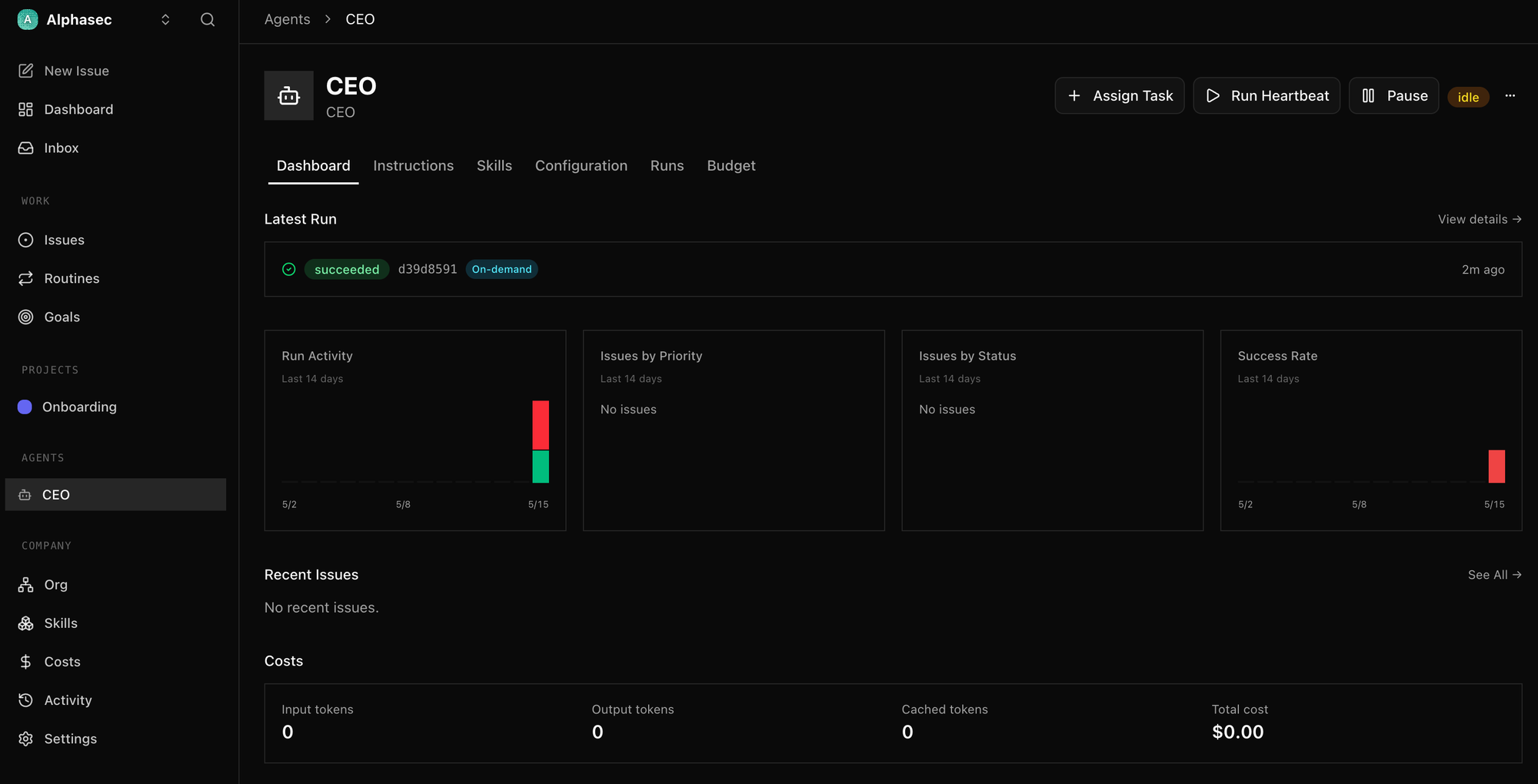
A couple of adapters work out of the box with environment variables — no interactive login required:
| Provider | Adapter in Paperclip | Environment Variable |
|---|---|---|
| Anthropic | claude_local | ANTHROPIC_API_KEY |
| OpenAI | opencode_local | OPENAI_API_KEY |
| Gemini | opencode_local | GEMINI_API_KEY |
For Gemini, select opencode_local as the adapter and choose your model (e.g. gemini-2.5-flash) in the agent settings. The gemini_local adapter requires interactive OAuth and won't work in a Railway container. Similarly, the codex_local adapter needs WebSocket-based authentication that can't be completed headlessly — stick with opencode_local for OpenAI models.
What's Next
The deployment covered here is just the start — Paperclip running cleanly, agents wired up, ready to receive tasks. The real interesting (and fun) part lies in what you build on top of it. The GitHub repo also includes a digitalocean/ folder with a single-script VPS deployment if you prefer a fixed-cost server. I'm fascinated by the companies.sh concept, and I'm exploring a purpose-built agent company - a threat intelligence team that monitors security advisories, extracts IOCs and TTPs, and generates detection rules - as a follow up. If that sounds exciting, it'll be next.