From A2A Agent to Gemini Enterprise: A Practical Deployment Guide
A practical guide to Google A2A agents - covering setup, API key vs OAuth authentication, deployment to Cloud Run, and registration with Gemini Enterprise.
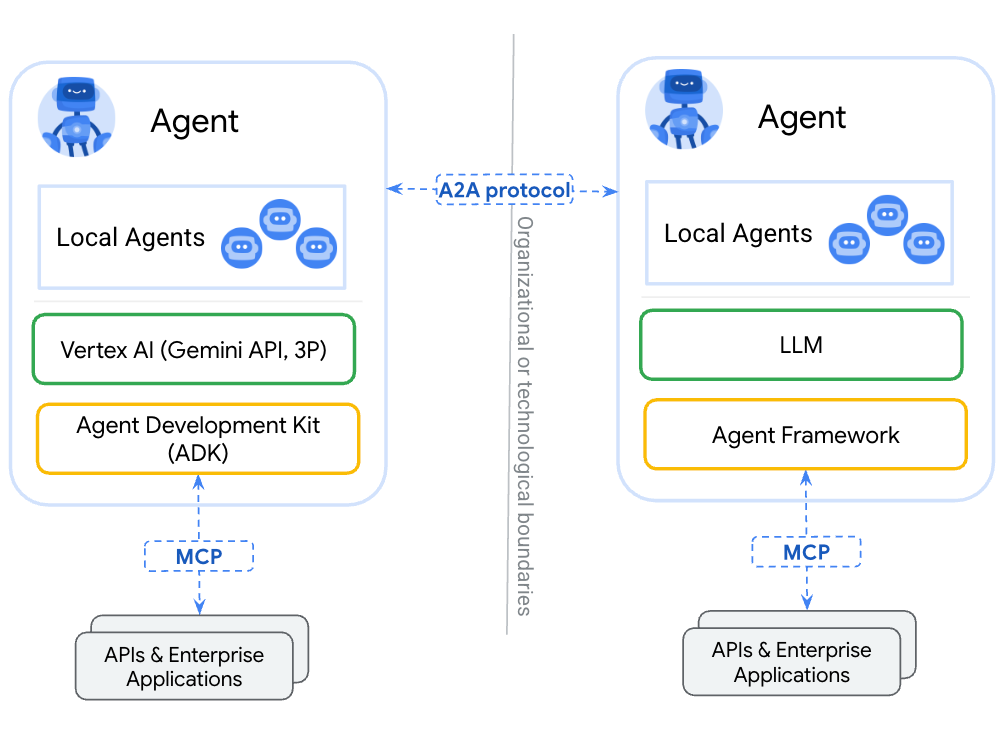
The Agent2Agent (A2A) protocol is an open standard for communication and collaboration between AI agents. Originally developed by Google, and now managed by the Linux Foundation, A2A aims to untangle the web of diverse agentic frameworks by different vendors, making agents speak one definitive common language for seamless interoperability. Where ADK is about building agents, and MCP is about interacting with tools, A2A dictates how agents talk to each other, to platforms like Gemini Enterprise, and even to humans. If you're building enterprise agents, A2A is definitely worth understanding.
This post walks through a working demo: two A2A servers (one using API key auth, one using OAuth 2.0), a Streamlit web client, CLI test clients, and how to register everything in Gemini Enterprise. All code is at github.com/alphasecio/google-a2a.
What is A2A?
A2A is an open protocol that standardises how AI agents communicate. An A2A server publishes an Agent Card at ./well-known/agent.json - a JSON document describing the agent's name, description, skills, supported input/output modes, capabilities, and authentication requirements. Clients discover the agent via this card, and communicate with it using JSON-RPC over HTTP. The protocol sits a layer above transport and does not care whether you're running on Railway, Cloud Run, DigitalOcean, or somewhere else. It does care about authentication though, which is a large focus of this walkthrough.
The Demo Repo
The repository is structured around two independent A2A hello servers, and a couple of test CLI and web clients.
├── server/
│   ├── hello_apikey/   # API key auth
│   └── hello_oauth/    # OAuth 2.0 auth
└── client/
    ├── streamlit_app.py        # Web GUI
    ├── hello_apikey_client.py  # CLI test client
    └── hello_oauth_client.py   # CLI test client
Both servers implement the same two skills: a public hello skill (no auth required) and a roll_dice skill (auth required). The difference lies in their authentication mode - one uses API tokens, other uses OAuth 2.0. Each server exposes:
- A public agent card listing only the
helloskill - An authenticated extended card (at
/agent/authenticatedExtendedCard) listing both skills, returned only when a valid token is supplied
API Key vs OAuth 2.0
The hello_apikey server validates a static AGENT_API_TOKEN environment variable against the Authorization: Bearer header on every request. It's simple, works everywhere, with zero additional dependencies, but the token is a typical bearer token - it never expires, and there's no easy way to rotate it automatically.
The hello_oauth server validates JWTs using OIDC discovery. On startup, it fetches /.well-known/openid-configuration from the configured OAuth provider to get the JWKS URI, then validates incoming tokens against the provider's public keys. No shared secret - tokens are short-lived and cryptographically signed.
Not all OAuth providers are set up the same though. During my testing, I ran into one Microsoft Entra-specific quirk: the OAUTH_AUDIENCE is the Application (client) ID, not a separate URL as it would be with Auth0. The server handles this transparently, but take note of this when setting up environment variables.
Another interesting observation is that the auth header doesn't reach the A2A SDK's RequestContext - it gets stripped during request processing. The OAuth server works around this with a lightweight ASGI middleware that captures the raw Authorization header into a context variable before the SDK processes the request:
class AuthHeaderMiddleware:
    def __init__(self, app):
        self.app = app

    async def __call__(self, scope, receive, send):
        if scope["type"] in ("http", "websocket"):
            headers = dict(scope.get("headers", []))
            auth_header = headers.get(b"authorization", b"").decode("latin1")
            auth_token_var.set(auth_header)
        await self.app(scope, receive, send)
The API key server avoids this by passing the token in the A2A message metadata field instead, which does survive SDK processing.
Deploying the A2A Server (API Key) to Railway
Railway is a modern platform that hosts your infrastructure so you don't have to deal with configuration, while allowing you to vertically and horizontally scale it. If you don't already have an account, sign up using GitHub, and click Authorize Railway App when redirected. New users get a one-time $5 trial credit (30 days), after which the Hobby plan costs $5/month. To deploy the hello_apikey server:
- Fork or clone the GitHub repo
- Create a new Railway service, set the root directory to
server/hello_apikey - Railway detects the
Dockerfileautomatically and builds it
Add the following environment variables in Railway's service settings:
AGENT_BASE_URL: Your Railway public URL (e.g.https://hello-apikey.up.railway.app)AGENT_API_TOKEN: A strong random secret (openssl rand -hex 32)
Once deployed, verify the agent card (https://your-service.up.railway.app/.well-known/agent.json) is live - it should look something like this:
{
  "capabilities": {
    "streaming": false
  },
  "defaultInputModes": [
    "text/plain"
  ],
  "defaultOutputModes": [
    "text/plain"
  ],
  "description": "Simple agent with a public hello skill and an authenticated dice-rolling skill.",
  "iconUrl": "https://cdn.jsdelivr.net/gh/googlefonts/noto-emoji@main/png/128/emoji_u1f44b.png",
  "name": "Hello A2A",
  "preferredTransport": "JSONRPC",
  "protocolVersion": "0.3.0",
  "skills": [
    {
      "description": "Returns a piratey greeting. No authentication required.",
      "examples": [
        "hi",
        "hello",
        "hi, i'm bob"
      ],
      "id": "hello",
      "name": "Hello",
      "tags": [
        "hello",
        "greeting"
      ]
    }
  ],
  "supportsAuthenticatedExtendedCard": true,
  "url": "https://your-service-url.up.railway.app",
  "version": "1.0.0"
}
Deploying the A2A Server (OAuth) to Cloud Run
hello_oauth is a natural fit for Cloud Run—Google's OAuth providers (including Entra via federation) integrate cleanly, and Cloud Run handles scaling to zero.
From inside server/hello_oauth:
gcloud run deploy hello-a2a-oauth \
  --source . \
  --region us-central1 \
  --allow-unauthenticated \
  --set-env-vars \
    AGENT_BASE_URL=https://your-service-url.run.app,\
    OAUTH_ISSUER=https://your-tenant.auth0.com,\
    OAUTH_AUDIENCE=https://your-agent-url
For Entra, set OAUTH_AUDIENCE to the Application (client) ID of your registered app, and OAUTH_ISSUER to https://login.microsoftonline.com/YOUR_TENANT_ID/v2.0. If you're using v1.0, the OAUTH_ISSUER will be https://sts.windows.net/YOUR_TENANT_ID/.
The --allow-unauthenticated flag is intentional—Cloud Run's transport-layer auth is separate from the A2A protocol's application-layer auth. The agent handles its own authentication; no need for another layer for a public-facing A2A endpoint.
Deploying the Streamlit Client
The CLI clients hello_apikey_client.py and hello_oauth_client.py can be run anywhere Python is installed - your development machine, GitHub Codespaces, or elsewhere. The Streamlit client is an interactive app that connects to any A2A-compliant agent, inspects its agent card, and lets you chat with it. It supports three auth modes: none, API token, and OAuth 2.0 (client credentials flow).
Deploy it to Railway or Cloud Run the same way—set the root directory to client/ and it will find the Dockerfile. For Railway, the PORT environment variable is injected automatically. For Cloud Run:
cd client
gcloud run deploy a2a-client \
  --source . \
  --region us-central1 \
  --allow-unauthenticated
To run it locally:
cd client
cp .env.example .env  # fill in values
uv pip install -e .
streamlit run streamlit_app.py
Registering the Agents with Gemini Enterprise
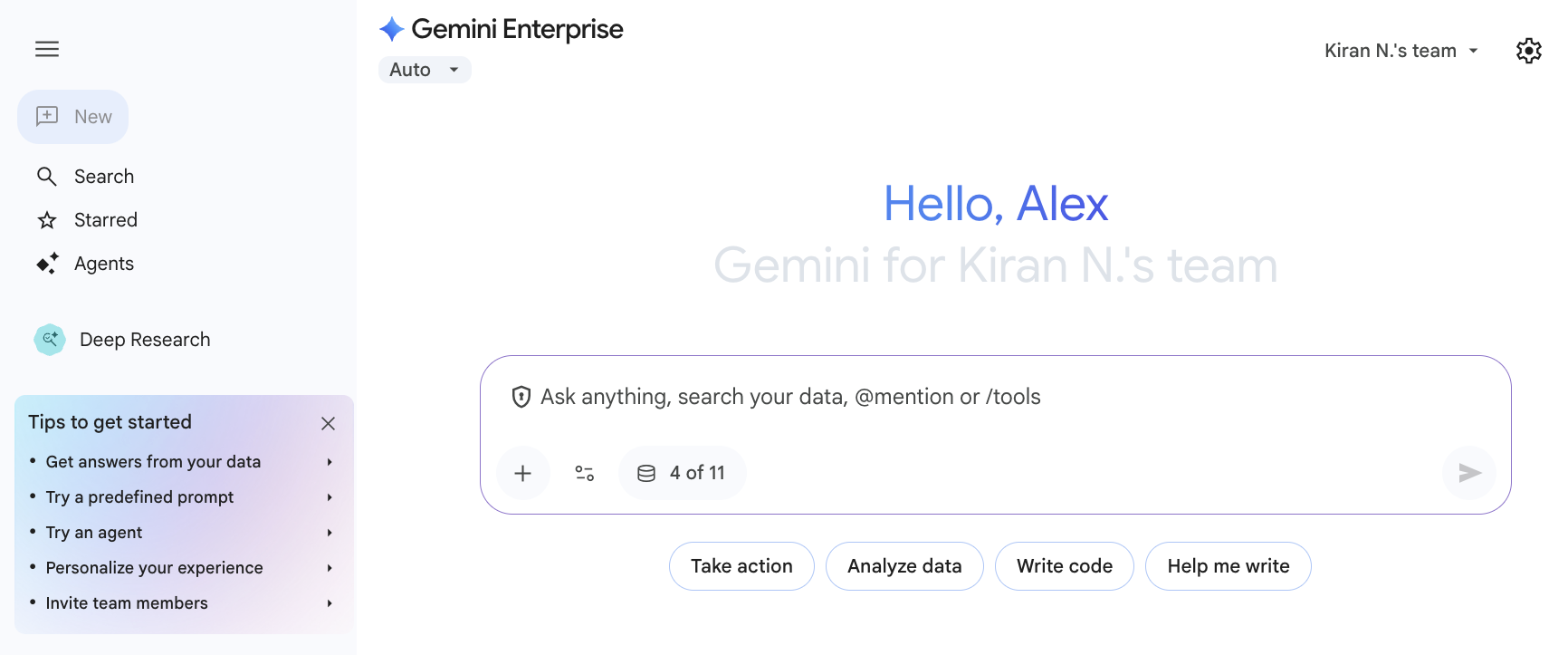
Gemini Enterprise (GE) is an intranet search, AI assistant, and agentic platform by Google. It includes prebuilt connectors for commonly-used third-party applications like Confluence, Jira, Microsoft SharePoint, and ServiceNow. It can also provide conversational assistance, answer complex questions, and host custom AI agents (including external A2A agents) that apply generative AI contextually.
A few things to note before registering the A2A agent:
MIME types matter. The agent card must use valid MIME types for defaultInputModes and defaultOutputModes. "text" is rejected—use "text/plain". This isn't enforced by the A2A SDK but GE validates it strictly.
OAuth is required. Gemini Enterprise (GE) requires OAuth 2.0 for agent authentication - there's no API key option in the registration UI. This means you need the hello_oauth server to register with GE. You'll need to provide:
- Client ID
- Client Secret
- Auth URL (
https://your-tenant/authorize) - Token URL (
https://your-tenant/oauth/token) - Scopes (can be empty for basic client credentials flow). For Entra specifically, you may need to configure
openid profile email offline_access YOUR_TENANT_ID/.default.
The agent card URL is your server's base URL. GE fetches /.well-known/agent.json from it automatically on registration.
Once registered, the agent appears in the list of organisational agents for your Gemini Enterprise app users and can be invoked in conversations. You'll be required to authorise the action when invoking the roll_dice skill.
Final Thoughts
The A2A SDK is still evolving fast—A2AClient is already deprecated in favour of ClientFactory in recent releases, though the migration path has some rough edges. The demo deliberately uses A2AClient for the client code since it's stable and functional, with deprecation warnings suppressed. For production use, the static API key approach is discouraged, and the OAuth approach should be followed instead. As A2A matures and the SDK stabilises, expect the client-side patterns here to simplify—but the server-side architecture and auth model should hold.