Supercharge Web Scraping and Extraction with Firecrawl
How to scrape pages, crawl sites, run research tasks and extract structured data with Firecrawl’s Python SDK, with working code and self-hosting notes.
Website crawling and scraping tools have been around for a long time, with BeautifulSoup, Playwright, Scrapy and Selenium among developer favourites. But as websites have become more dynamic, with JavaScript rendering, anti-bot measures and constantly changing layouts, scraping them reliably takes more and more effort. If the end goal is feeding content to a large language model (LLM), raw HTML is the wrong format anyway. Firecrawl is one of the tools built for that gap; let's explore it further.
What is Firecrawl?
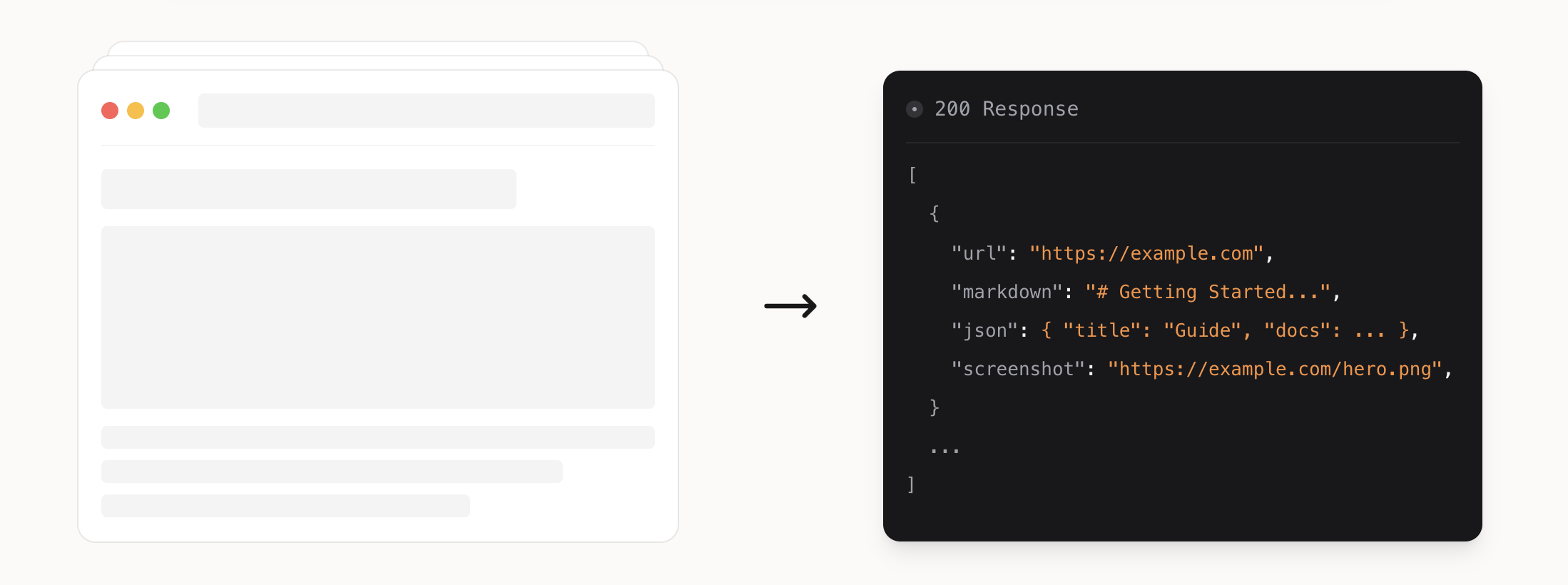
Firecrawl is an open-source service (AGPL-3.0, 200K+ GitHub stars) that turns websites into clean markdown or structured data. You can scrape a single page, crawl a whole site, map its URLs, or extract fields against a schema, all from one API. It handles JavaScript rendering, proxies and anti-bot measures, which is where hand-written scrapers usually break.
The hosted service has a free plan of 1,000 credits a month, and a basic scrape costs one credit per page. Paid plans start with Hobby at $16 a month, billed yearly, for 5,000 credits. You can even try scrape and search without an API key, at a low rate limit per IP address. Some features, such as the more advanced anti-bot handling, are only in the hosted version. If you'd rather run it yourself, the repo has a self-hosting guide.
To follow along, install the Python SDK and set your API key as an environment variable:
pip install firecrawl==4.55.0
export FIRECRAWL_API_KEY="fc-YOUR_API_KEY"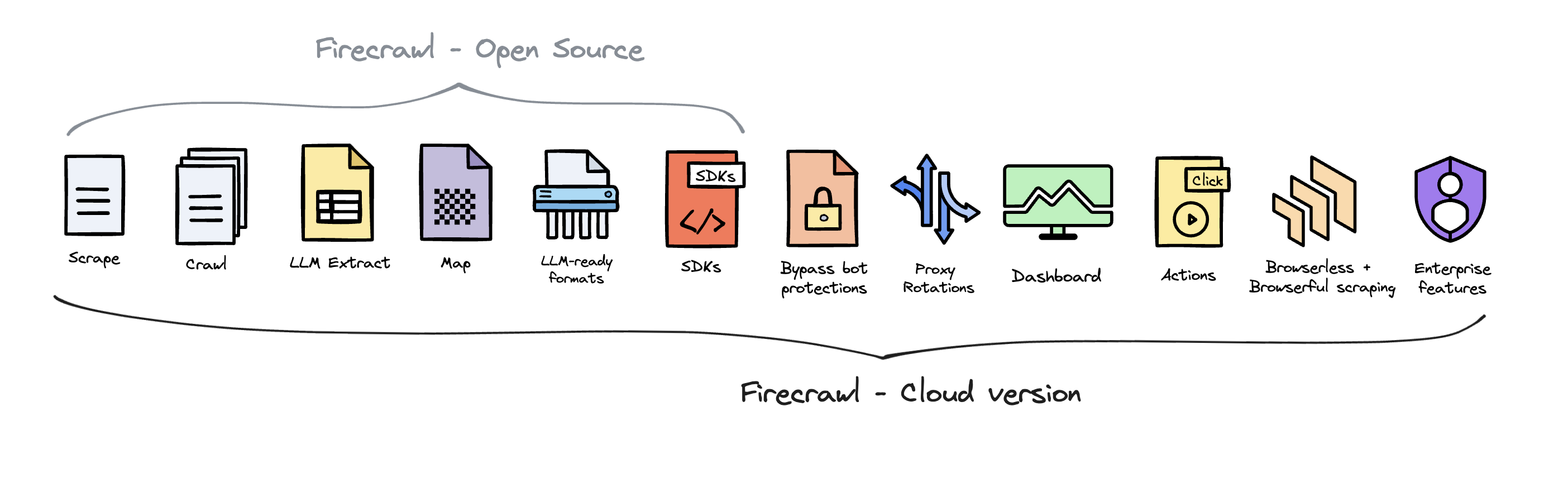
Scraping Web Pages with Firecrawl
The scrape method turns a page into markdown, HTML, raw HTML, links, a screenshot or structured JSON. This example fetches a page as markdown and prints the start of it:
from firecrawl import Firecrawl

firecrawl = Firecrawl()  # reads FIRECRAWL_API_KEY from the environment

doc = firecrawl.scrape("https://docs.firecrawl.dev", formats=["markdown", "links"])
print(doc.markdown[:500])
I first used Firecrawl in a small cron job that read newsletters from a mailbox, scraped every linked article, and emailed me a summary of each. I expected scraping to be the fragile part, but it was the easy part: Firecrawl returned clean markdown even from JavaScript-heavy sites, and the summaries were better for it.
You can also run actions before scraping, such as clicking, scrolling or waiting for an element. That helps with content that only appears after interaction. See the scrape docs for the full list of formats and options.

Extracting Structured Data with Firecrawl
To get fields instead of free text, ask scrape for the JSON format and pass a schema. A Pydantic model works well, and Firecrawl uses an LLM to fill in the fields from the page:
from firecrawl import Firecrawl
from pydantic import BaseModel

class CompanyInfo(BaseModel):
    company_mission: str
    supports_sso: bool
    is_open_source: bool

firecrawl = Firecrawl()

result = firecrawl.scrape(
    "https://firecrawl.dev",
    formats=[{"type": "json", "schema": CompanyInfo.model_json_schema()}],
)
print(result.json)
You can also leave out the schema and pass a prompt instead, and let the model decide the structure. A schema gives you consistent field names across pages, which matters if the results go into a database.
Crawling and Mapping Websites with Firecrawl
The crawl method follows a site's sitemap, or discovers pages through links if there isn't one, and scrapes every page it finds. limit caps how many pages it visits, and each page costs a credit, so set it before crawling anything large:
from firecrawl import Firecrawl

firecrawl = Firecrawl()

job = firecrawl.crawl(
    "https://docs.firecrawl.dev",
    limit=5,
    exclude_paths=["blog/.+"],
    scrape_options={"formats": ["markdown"]},
)
print(job.status, len(job.data))
crawl waits until the job finishes. For large sites, start_crawl returns a job ID straight away, and get_crawl_status checks on it later. If you only need the list of URLs, map is much faster and cheaper than a crawl:
links = firecrawl.map("https://docs.firecrawl.dev", limit=20)
print(links)
Research Tasks with Firecrawl's Agent
Some questions don't have a single page as the answer, such as "who founded this company and what did they do before?". Firecrawl's agent method takes a prompt and an optional schema, then searches, browses and extracts across sites on its own. max_credits caps what one run can spend:
from firecrawl import Firecrawl
from pydantic import BaseModel, Field

class Founder(BaseModel):
    name: str = Field(description="Full name of the founder")
    role: str | None = Field(None, description="Role or position")

class Founders(BaseModel):
    founders: list[Founder]

firecrawl = Firecrawl()

result = firecrawl.agent(
    prompt="Find the founders of Firecrawl",
    schema=Founders,
    max_credits=100,
)
print(result.data)
Agent runs cost more than a scrape, because they visit several pages and use an LLM throughout, so start with a low max_credits and raise it once you've seen what a typical run uses.
Frequently Asked Questions
Is Firecrawl free? The hosted service has a free plan with 1,000 credits a month, and a basic page scrape costs one credit. The open-source version is free to self-host under the AGPL-3.0 licence, but some features are only in the hosted service.
How is Firecrawl different from BeautifulSoup or Playwright? BeautifulSoup parses HTML you've already fetched, and Playwright drives a real browser that you script yourself. Firecrawl does the fetching, rendering, anti-bot handling and cleanup for you, and returns markdown or structured data that's ready for an LLM.
Does Firecrawl respect robots.txt? Yes. Firecrawl follows the rules in a site's robots.txt file when it crawls.
Can I use Firecrawl with AI agents? Yes. Firecrawl has an official MCP server, so agents such as Claude Code or Cursor can scrape and search the web through it.